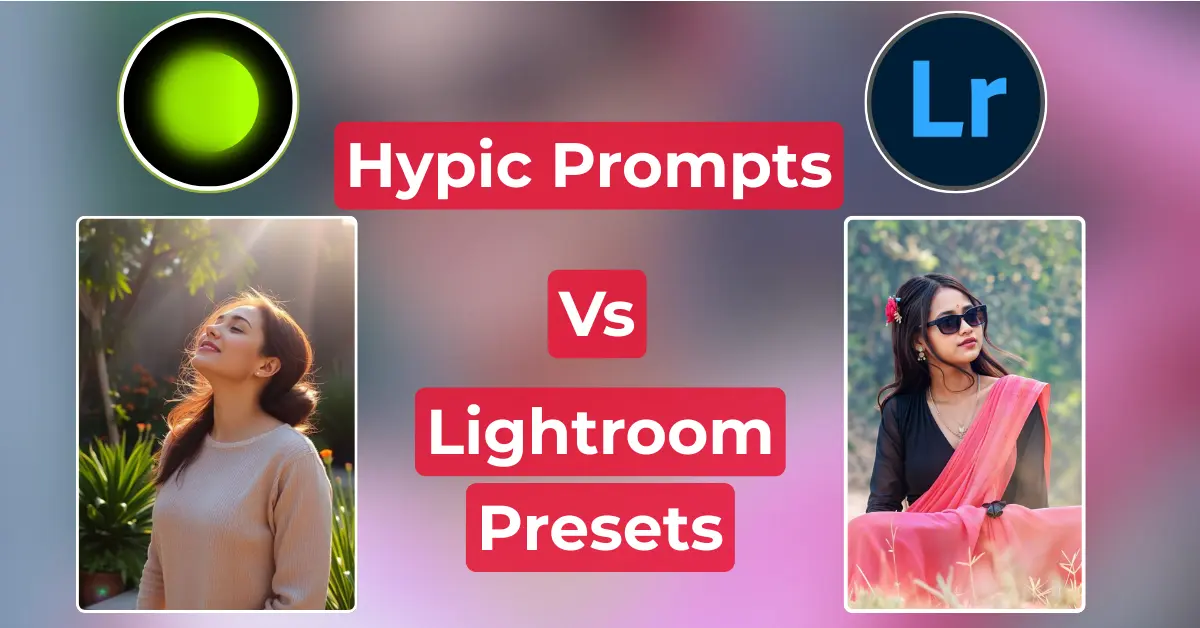
Photo editing has changed dramatically in recent years. Simple touch-ups are no longer sufficient for most creators. People are now looking for tools that will speed up the process while also giving them more control over the style. Many people relate Hypic prompts to Lightroom presets since they affect photographs in very distinct ways.
Hypic prompts direct AI to extend sceneries or change details, unlike Lightroom presets, which use pre-set tones and colors. Some people love prompts because of the creative freedom they provide. Others rely on presets for fast and consistent outcomes.
Both have become integrated into modern workflows, where AI picture editing prompts and color grading presets coexist. This combination of automation and stylistic choice characterizes how editing is done nowadays.
What Are Hypic Prompts?
Hypic functions as an AI picture editor that responds to brief textual instructions. A user inputs a line, and the tool transforms the image based on the text.
It can create more space around the topic, change the colors, or add new elements that appear natural. The process seems easy, yet it may transform a photograph in a variety of ways.
Custom prompts play an essential role in this process. They direct the AI to follow a mood or style specified by the user. One trigger may result in warm tones, while another may provide cooler tints or even a painted impression. This control differentiates each image.
Hypic hints benefit both new and experienced editors:
- Beginners can generate edits without needing to know the complex tools.
- Advanced users can try out new styles and precise details.
- All users receive results that appear personalized and distinct.
What Are Lightroom Presets?
Lightroom presets are pre-set options that change the style of a photo in a single step. Mobile presets operate within the Lightroom app on phones, which is ideal for users who edit quickly while moving.
Professional presets run on the desktop version and are used by editors who require more control over light, tone, and detail.
Each preset serves as a photo color grading preset. It makes fixed changes to contrast, brightness, tone, and color. A single click can make a flat image appear sharp, soft, or dramatic. Users frequently acquire packs with different moods and themes.
These settings remain popular among photographers and artists.
- Mobile users edit quickly while maintaining the same look in all shots.
- Professional editors create a consistent look for projects.
- All creators save time and obtain repeatable outcomes that appear finished.
Hypic Prompts vs Lightroom Presets: Core Differences
Hypic prompts and Lightroom presets both affect the appearance of images, but they do not work in the same manner. Hypic prompts lead AI through short written sentences. A user inserts their desired text, and the application modifies the photo accordingly.
Lightroom presets apply ready-made settings that change color, tone, and contrast in a single step.
AI photo editing prompts allow for more versatility. A short word might broaden the frame, change the mood, or provide detail that was not included in the initial photo. Each edit feels unique because no two prompts give the same results.
Lightroom presets emphasize speed. They use the exact tones throughout all images, which helps to maintain a consistent style.
Hypic maintains a higher level of creative control. Users shape the image in a variety of ways. Presets save time by instantly setting the ambiance with a single click.
Key points are plainly visible.
- Hypic prompts emphasize freedom and detail.
- Lightroom presets lean toward speed and consistent results.
- Both methods guide editing, although they serve distinct functions in modern photo production.
Strengths of Hypic Prompts
Hypic stimuli produce responses that are rarely the same. A short line instructs the AI on what to do, and the tool bases the modification around those words. Each photo has its own look, rather than resembling another filter.
Custom editing prompts offer you stylistic freedom. A user may input “warm sunset” and witness the colors change to gold tones. Another user may request “soft pastel,” and the AI adjusts the photo to a gentler mood. This level of freedom makes Hypic ideal for experimentation and artistic modifications that go beyond standard presets.
The strategy also works well with mobile applications. People frequently edit on phones for quickness, and prompts suit well in that space. The tool remains simple while delivering professional photos.
Key strengths can be found here:
- Unique output molded by written cues.
- Creative adjustments that align with artistic ideals
- Easy to use with mobile picture editing apps.
Strengths of Lightroom Presets
Lightroom presets have remained one of the most reliable tools for photo editing. A preset alters tone, color, and light in a single step. The end effect is a neat and stable appearance.
Professional Lightroom presets, in particular, provide a balanced and clean finish to photographs, which is why many editors employ them on paid jobs.
Speed is also a notable strength. A wedding or event photographer may edit hundreds of photos. Applying a single setting to the entire collection saves hours. The work becomes more efficient, and more time is free for planning or new shots.
Presets continue to be trusted in photography communities. Many artists create and share their own packs, which are easy to find and utilize. Beginners look to them for quick results. Skilled editors utilize them to keep a project consistent in style.
The main strengths can be noted here:
- Professional Lightroom presets provide a professional and steady look.
- Bulk editing gets faster and smoother.
- Trusted tool among photography communities.
Which One Works Better for Creatives?
The creator’s goals determine whether to use Hypic AI editing or Lightroom presets. Hypic prompts emphasize inventiveness. A few phrases can prompt the AI to enlarge a frame, change the mood, or add elements to make the photo look fresh.
Lightroom mobile presets operate differently. They keep photos clean and consistent, which is essential for projects requiring the same style across multiple images.
Different types of users frequently prefer other tools. A hobbyist may prefer Hypic more because it makes editing fun and creative without requiring much ability.
Influencers typically choose Lightroom presets since they keep each post consistent with their brand. Professional photographers can use both. Hypic allows them to test concepts, while presets ensure that the final set remains nice for clients.
A combination of the two tools can yield the best results. Hypic suggestions help create unique changes, followed by presets that enhance the shot with seamless color and balance. One instrument encourages innovation, while the other ensures refinement.
For many creatives, it is not wise to choose only one. Using both at different stages results in a combination of creativity and professional finish.
Hypic Prompts vs Lightroom Presets: Future of Editing
AI picture editing suggestions are increasingly in use across the business. Many authors use brief lines to guide modifications, and the program generates new details, larger frames, or different moods. This move demonstrates how prompts can shape much of the upcoming editing effort.
Presets continue to hold significant importance. Editors rely on them for consistent tones, clear color grades, and clean styles. These settings maintain a vintage touch that is essential even when new tools emerge.
The future of editing may be in the balance. Creatives can use both within mobile picture editing apps. Prompts encourage creativity and independence, whereas presets promote speed and polish. They address two critical needs simultaneously.
Main Points:
- AI prompts help develop innovative modifications and new styles.
- Presets provide stable looks and classic tones.
- Both tools employed in mobile applications produce strong outcomes.
FAQs
Are Hypic Prompts Better Than Lightroom Presets For Beginners?
Hypic prompts work better for beginners as they skip complex steps and save time.
Can I Use Both Hypic Photo Editing And Lightroom Mobile Presets Together?
Yes, creatives often guide edits with prompts, then refine them using Lightroom presets.
Which Is Better For Professional Work: Hypic AI Editing Or Lightroom Presets?
Lightroom presets suit pro work for a uniform style, while Hypic brings original details.
Conclusion
Photo editing is constantly evolving, and tools like Hypic prompts and Lightroom presets demonstrate how editing methods are developing. Hypic provides a creative push that seems fresh and unique, whereas presets provide structure and a clean finish that is trusted in the photo space. The best option relies on how a person wants to shape their modifications.
Some people favor bold and distinctive styles, while others prefer balance and refinement. Both tools are valuable to producers of all skill levels. Testing them side by side can help consumers determine what best suits their particular preferences and produce outcomes they are satisfied with.